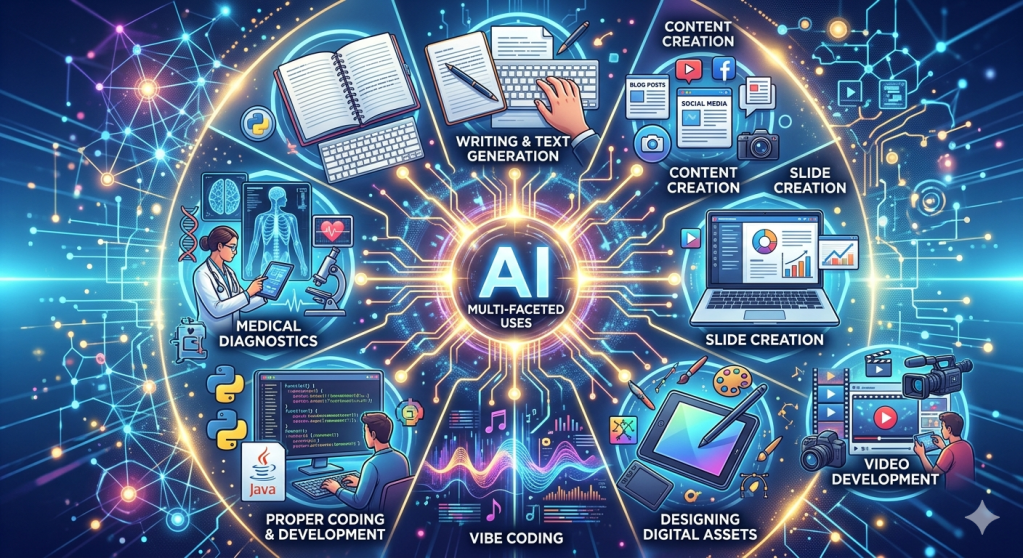
Every day I read about new AI tools that can either perform medical diagnostics more accurately, generate images faster, design websites, or make creating presentation slides a breeze. How do you keep on top of all these amazing developments? Which ones are good and which ones are less useful and less intuitive?
I am testing a new AI tool each day, on average. If I like the tool, I add the link to my browser’s favourites. There is no discussion these days with your friends or family that does not involve some direct or indirect reference to AI. However, I have come across many instances in which an individual has either not heard about a cool AI tool or is searching for the best tool to get something done. I thought of creating this blog to highlight AI tools across various use cases that I have tested and/or use regularly. This post is also more of a central repository for these tools than anything else. However, if it helps others, please share it with friends, family, and colleagues.\
Last update: 15th June 2025
| Type | Description |
|---|---|
| General Purpose LLMs | For general searches, quick research, text-based workflow (“like summarise this PDF or meeting transcript) |
| Graphics/Picture AI | AI tools to generate and process (add effects) pictures and graphic files. |
| Video AI | AI tools dedicated to creating and editing videos |
| Cross-LLM Tools | Tools that let you use all LLMs in one place or share your context across multiple LLMs, and many more |
| Agentic AI Tools | Tools that you can use to create dedicated agents for specific tasks |
| Productivity Tools | AI tools to make you more efficient |
| Business AI Tools | From extracting Business Intelligence from your corporate data, to capturing and summarising meeting notes. |
| Dev AI Tools | Tools for programmers and hard-core techies. |
| Vibe Coding Tools | Tools that can help you quickly design websites, mobile or web apps, just using prompts. |
| Desktop AI Tools | If you want to chat, run tasks, and automate AI routines, then you need a desktop app. |
The heading of each tool is a link to its website.
General Purpose LLMs
- ChatGPT – needs no introduction – I use the Pro version, and I am pretty satisfied. I use it for general search, quick research, summarisation and any language/text-based activities. You can use it for free for 3 intensive tasks per day. The CustomGPT function is amazing, as you can train different CustomGPTs for different purposes. You can train one as your assistant, another as a programmer, or use it for department-specific use cases, such as a marketing manager.
- Claude – a must for analytics purposes. I use Projects in Claude for recurring analytical workloads, and I need the output in a consistent format. You can build an MD file (configuration file) and upload it to each project so that each works in a specific way. For example, I have built a project called Fundamental Analyst that analyses fundamental data, draws on my previously branded notes, and provides consistent output. I have a Project called Programmer, which writes code and creates documentation within the code, which I can simply copy and paste into any IDE. I also use Artifact to create and publish analyses, figures, and graphs, and to summarise them, which I can eventually share with my colleagues. Claude Code is the go-to tool for writing code, and finally, CoWork has made it easy to access local files to automate tasks on your desktop.
- Perplexity – the new “Google” for me. For day-to-day searches, quick-shot knowledge grabs, and quick checks, I used this AI. It’s a no-frills AI with good and fast results.
- Gemini – Google was a bit late but has caught up with the rest of the LLMs. Great set of tools like LLM, Image AI, NotebookLLM (for generating podcast-style videos) and vibe-coding (through Google AI Studio) – all in one place.
- Grok – Musk’s foray into LLMs – sometimes the results are much faster in this LLM.
- Qwen – If you are in China, you can’t access Claude or ChatGPT (or any western LLM). Use this – its not that fast, but it works.
Graphics/Picture AI Tools
- Drafted.AI – Drafted is an AI floor plan generator that turns rough constraints (rooms, sizes, square footage) into multiple downloadable house plans with matching 3D exterior renders in seconds.
Video Editing AI
- Heygen – My go-to AI tool for creating short or long videos. I have used it to create professional reels by just uploading a set of videos, photos and audio files. It takes some time to generate the content to your liking, but it is a much easier and cheaper tool than others I have tried.
- Invideo AI – I stumbled upon this video-generating AI while searching. LLMs gave it a high score and recommended using it. It took me more time and more money than I achieved with HeyGen. They might improve over time, but for now, Heygen is my favourite.
- PixVerse – Another tool to create videos with just prompts, but I have found it a bit slow at times and more expensive than Heygen
- Sora – This was my go-to before OpenAI pulled the plug. Just leaving the link here in case they resuscitate this tool in future.
Cross-LLM Tools
- Lorka AI – If you subscribe to multiple LLM like ChatGPT, Claude, Gemini, Grok or others, you can now access all them through one workspace. You can write your prompt once and see every model’s response side-by-side. Use the best one and compare them side-by-side.
Agentic AI Tools
- Arcade – Arcade is a production MCP runtime that gives AI agents the ability to take real actions across the services your team already uses. It handles OAuth, keeps tokens server-side and exposes 7,000+ pre-built integrations (Gmail, Slack, GitHub, Notion, Salesforce, Reddit and more) so agents can act as you, with your exact permissions, without the language model ever touching a credential.
Productivity AI Tools
- Wisdom AI – Wisdom AI is a conversational business intelligence platform that lets you ask plain-language questions about your company’s data and get charts, trends and analysis back in seconds. It connects to your data warehouse, learns how your metrics are structured and replaces a chunk of the work analysts used to do by hand. Think of it as a research analyst that never sleeps, sitting on top of Snowflake or BigQuery.
- Kickresume – A site which provides a lot of templates, AI writer and tech-ready resume. Most companies today use Applicant Tracking Systems (ATS). It’s basically software that scans your resume before a real person even sees it. If your CV doesn’t include the right keywords or isn’t formatted as the systems expect, it might be filtered out automatically. You can ask ChatGPT or Claude to do the same.
- Willow Scribe – Speech to text AI tool for both Mac and Windows. They claim that you can control your entire computer using just your voice.
Vibe Coding AI Tools
- Lovable – I can’t stop using this website! I designed cool-looking (not fully functional) websites on this site within minutes. I also developed a few web apps using this tool. It’s intuitive, fast, creative and easy! Has a generous free tier. I haven’t paid for any of the stuff I designed so far, nor do I have a subscription. Love it!
- Weweb – Build websites, dashboard and apps just through prompts.
- Stitch – I wish Google kept all their tools in one place! This is the vibe coding tool from Google – looks a bit like Figma. It is a good UX design tool (not a full-fledged app development tool).
- Replit – A very popular vibe-coding AI tool – I have not used but my friends rave about it. It is known for building apps and websites end-to-end, including the backend database.
Dev AI Tools
- Bolt.new – An in-browser dev environment that turns a one-line prompt into a working full-stack app. It writes the code, runs it in a sandboxed Node environment and gives you a live URL with no local setup.
- Cursor – One of the first dedicated AIs to help write code in any language. This one is cheaper to use than Claude Code or OpenAI’s Codex.
- Slash Space – A local-first, infinite digital canvas that allows power users to map out complex workflows, attach data sources, and link multiple parallel AI models and agents together as nodes without losing contextual continuity.
- Slim Snap – SlimSnap allows you to convert screenshots into structured JSON, enabling terminal-based AI coding agents to process UI elements and layouts with significantly fewer tokens than raw image inputs while running entirely locally on your machine.
Business AI Tools
- Tycoon AI – Helps build a one-person company with the help of AI Agents, who can help with marketing, sales, tech and other roles.
- Slideshot AI – Have you seen videos of products, services, applications or platforms in which they record their workflow and screenshots in a video format? This platform makes it easy to create such demos.
- Hyperbound AI – Build you AI avatar sales person with just prompts. Real sounding AI sales agents with attitudes on real calls. You can train your human sales people against this bot to help them with cold calls, discovery, objection handling and closing.
- Brew – helps generate professional email templates, sales templates and provides other email branding insights.
- AskBondAI – helps with marketing campaign, go-to-market research and can be a handy tool in the hands of sales development reps.
- Bond AI – An AI-powered “Chief of Staff” for executives and founders, connecting to various workplace tools to aggregate data, streamline to-do lists, and provide real-time updates and actionable insights across the organisation.
- Beautiful.AI – An AI-powered presentation platform that uses an intuitive auto-layout engine to adjust slide design and proportions in real time as content is added. It allows teams to generate decks from text prompts while enforcing strict, locked brand constraints across the organisation.
- Gamma.app – An AI-powered workspace that generates presentations, documents, and webpages from text prompts, using a flexible, block-based editor that automatically handles layout and styling. It focuses on rapid content creation and interactive, web-native output rather than traditional slide-by-slide formatting.
- Pitch – A collaborative presentation platform that combines design-focused slide editing with integrated workflow tools, allowing teams to build, share, and track performance of decks while maintaining consistent branding.
- Presentation.AI – Often referred to as the “ChatGPT for Presentations” – is an AI platform that turns raw text, documents, or data links into structured, design-ready slide decks in seconds. It specialises in automation at scale, allowing corporate teams to connect decks to live data sources (like Salesforce or Google Sheets) so charts and metrics refresh automatically.
- Slidesgo – Provides an extensive library of professional, customizable presentation templates for Google Slides and PowerPoint that feature built-in AI tools to help users quickly generate, edit, and personalize slide decks for various professional and educational needs.
Desktop AI Apps/Tools
- Claude CoWork – Chat, run desktop automation (e.g. if you want to automatically download some data and update a presentation on a regular basis), or use it for coding.
- Chat GPT (Open AI) – Chat, run desktop automation and installed CODEX to do coding. All the same bells and whistles but from your desktop.
- Perplexity Computer – Sames as the ones above, but it also boasts the ability to design apps and websites
- Antigravity – Google’s late entry into desktop AI tool (does the same as others but is a bit more technical – including spinning local agents)


It was Greek to me but helpful Sent from my iPhone
LikeLike